Back in April, I introduced recursive world space in the game, as explained here: http://williamchyr.com/2014/04/development-update-recursive-space/
One of the issues I encountered was that I needed to increase the fall speed. Up until then, I had very slow fall speed, so when you fell, it was very floaty, and you could air control very easily. My thinking was that the game was not about execution, and so I did not need to hinder the player’s movement. Having a slow speed meant that it was easier for players to navigate the exterior scenes, and also since the player would respawn after they had fallen off the world, it wasn’t really an annoyance.
However, once recursive world space came into play, there was a lot of falling. I could no longer have a slow, floaty fall, because then if the player fell off, it would take an excruciatingly long time for them to land again.
And so, I added acceleration when the player was falling and also set a terminal velocity, since you can theoretically fall forever, and I don’t want the player to pick up so much speed that everything is just a blur. I felt that having velocity max out at around 70 units/second created a really nice feel to the fall. It felt like a rush so that you landed on the platform below in a reasonable time, but at the same time, it wasn’t too fast that you couldn’t appreciate the visuals.
For the most part, this worked fine. Except once in a while, something like this would happen:
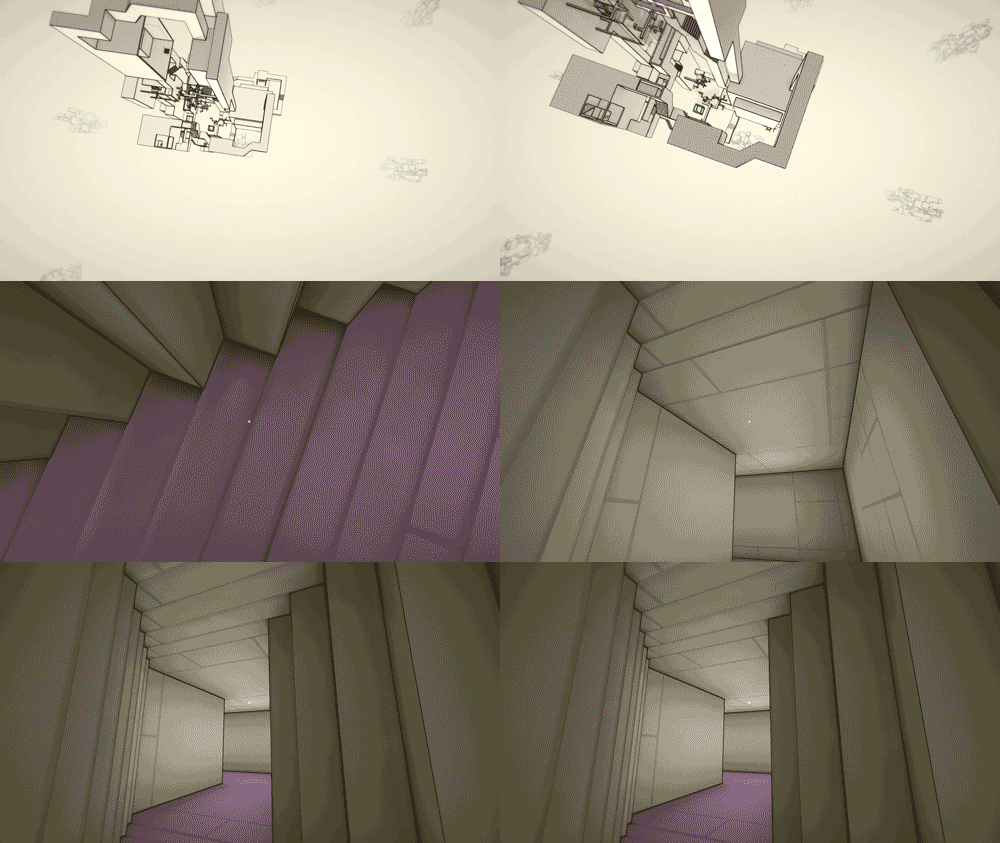
As you can see, the player has fallen through the first wall, and landed inside the tunnel, instead of on top of it.
This was quite problematic, as it meant players either accidentally got into a new area they weren’t supposed to be in, or landed in a hallway they’ve gone through, and therefore needed to walk over the same area again. Neither was desirable.
Even worse, sometimes this would happen:
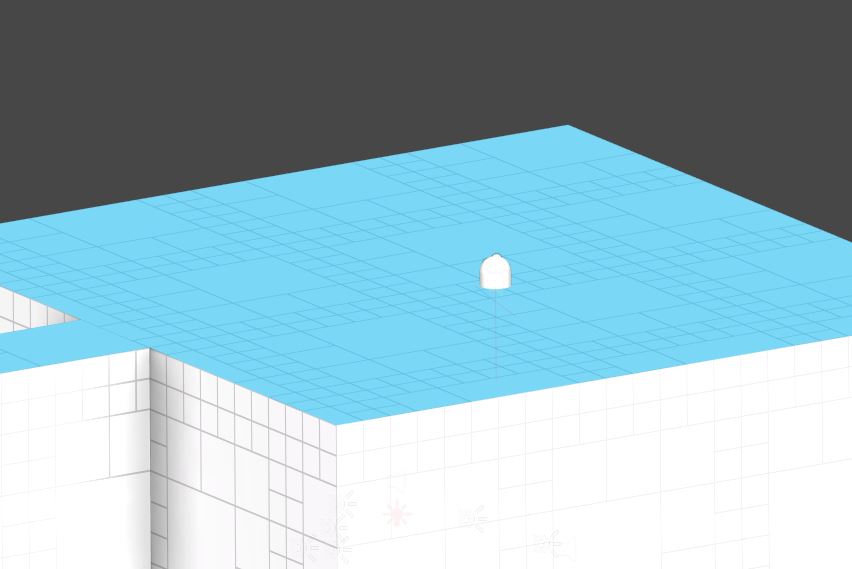
For reference, this is what it should look like normally:
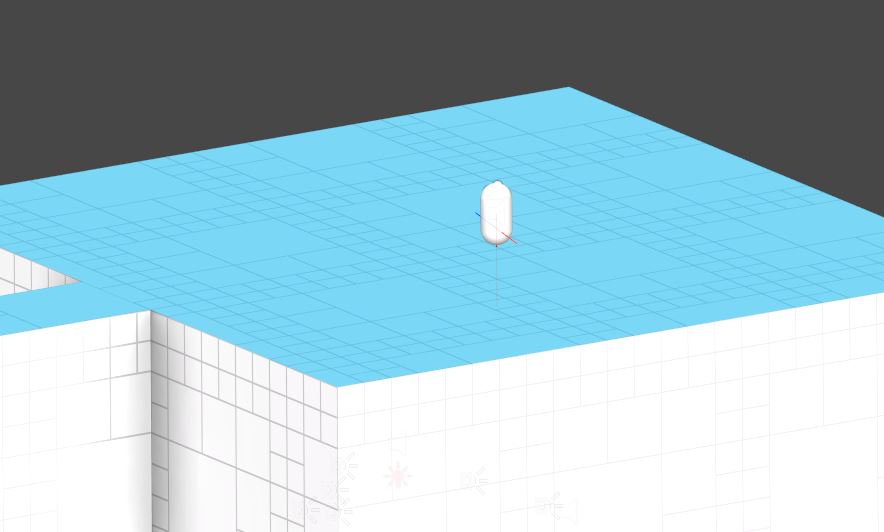
While the player didn’t fall through the wall, he is now stuck in it. This is actually far worse than falling through a tunnel, because this way, the player can no longer rotate and is stuck inside, and I would need to restart the game.
After it happened during a playtest session yesterday, I decided it was time to finally fix this problem.
My first approach was to have a raycast originate from the player pointing downwards, and if it detects ground, then start to slow the player down by applying a force in the reverse direction.
The problem was that it didn’t always work. The main reason was that the player could air control to being above a surface at the last minute, and therefore his speed doesn’t get slowed down enough. When it didn’t work, it also didn’t feel very good, because you didn’t get a very satisfying landing. You just sort of parachuted down to the landing, instead of nice, instant, “thud” effect.
After talking to a few other developers, I finally figured out a solution. BTW, a shout out to Ben Perez (@trinketben), Tom Eastman ((@trinkettom), David Laskey (@david_laskey), and Justin Pierce (@JTown_), for the help.
So here’s the fix:
In LateUpdate(), after all the movement calculations are complete, I do a raycast downwards from the player, to see if ground is detected. This doesn’t kick in until a player has reached a certain velocity, so that I’m not this raycast in every frame, when the player is just walking around normally. It basically only occurs during high speed falls.
What I then do, is that if ground is detected, I create a Linecast from the player’s previous position to the player’s current position. If the linecast returns true, this means that there’s a collider in between, which means that the player has fall through a wall.
So what I do then, is I set the player’s position to the previous position. If you’re paying attention, there’s a split second flash, which is when the player sees the other side of the wall before they’re teleported back out. However, this is not very noticeable and is a much better situation than actually falling through.
Now, the reason why I have to do the raycast down before the linecast is because of the way the triggers for the recursive world space works. As the player falls through the trigger, they will actually get teleported to a position above their previous position (since the player is technically only in one world the whole time). This means that if I just do a linecast, then it will return true in this situation, because it will be going up and through the world. By doing a raycast down, I make sure the ground is actually below the player.
Also, the reason why this happens in LateUpdate() is to make sure that all the movement calculations have been completed. I used to have it in FixedUpdate() and it wasn’t quite as accurate, because I think there was still some movement stuff being down after the raycast process.
To test the code, I increased gravity from 10 to 15, and also increased the terminal velocity from 70 to 200, so that the player is falling much much faster, and it’s all working fine now!